
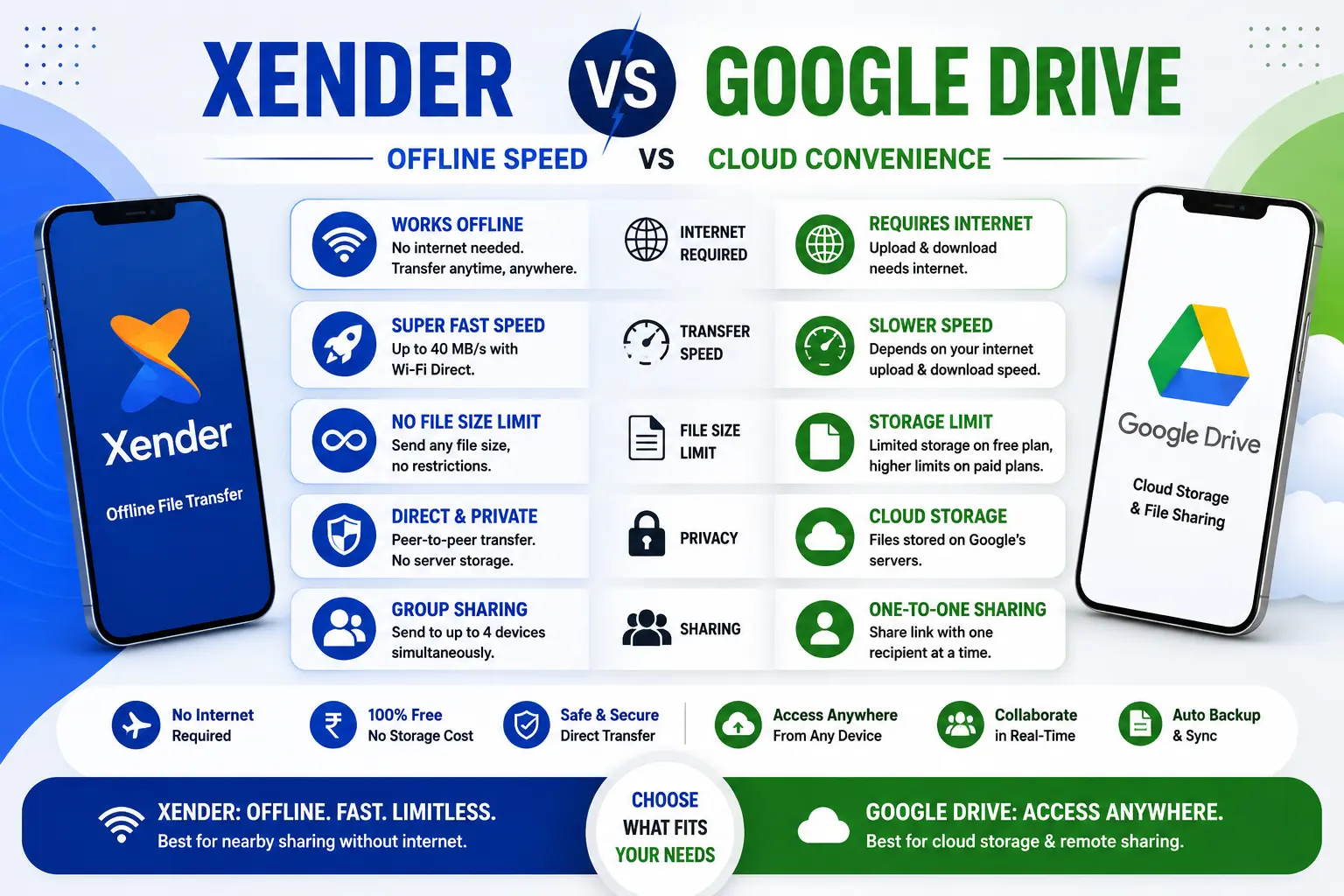
Xender vs Google Drive — Offline Speed vs Cloud Convenience (2026)
Most people use Google Drive for sharing files simply because it is already there — built into Android, pre-installed on most phones, and tied to the Gmail account everyone already has. Xender gets installed when Google Drive hits a wall: the recipient is sitting right next to you, the file is 8GB, the internet is slow, or the upload would take longer than just handing over a USB drive.
These two tools are not direct competitors. They are built for different transfer scenarios. This comparison makes that distinction concrete so you know exactly when to open which app.
What Each Tool Actually Does
Google Drive is a cloud storage and file sharing platform developed by Google LLC, launched in April 2012. Files are uploaded to Google’s servers, stored there, and shared via a link or email. The recipient downloads from Google’s servers. Every step requires internet on both ends.
Xender, developed by Xender (HK) Limited and launched in 2013, creates a direct Wi-Fi Direct (IEEE 802.11) connection between two nearby devices. Files move from one device’s storage to the other’s — no server involved, no internet required, no upload wait.
One is a cloud relay. The other is a wireless cable.
Speed — Where the Gap Is Largest
Google Drive upload speed on an 85 Mbps connection transferred a 300MB video in under a minute — roughly 5–6 MB/s effective throughput for uploads. Download speed on the recipient’s end adds additional time.
Xender on 5 GHz Wi-Fi Direct reaches up to 40 MB/s — with no upload or download step since files move directly between devices.
| File Size | Xender (5 GHz) | Google Drive (50 Mbps internet) |
|---|---|---|
| 500 MB | ~13 seconds | ~1.5 minutes (upload only) |
| 2 GB | ~50 seconds | ~6 minutes |
| 8 GB | ~3.5 minutes | Not possible free* |
| 15 GB | ~6 minutes | Storage limit hit* |
*Google Drive’s free plan provides 15 GB of shared storage across Drive, Gmail, and Google Photos. Hitting the 15GB free storage limit triggers immediate restrictions — Gmail cannot send or receive new messages, Drive cannot accept new file uploads, and Google Photos cannot back up new content.
Xender has no storage limit and no file size ceiling. Xender has no storage limit and no file size ceiling.
Google Drive 2026 — Storage and Pricing
Every Google account receives 15 GB of free storage by default. Once that limit is reached, users must select from Google One subscription tiers.
Current Google One pricing in 2026:
| Plan | Storage | Price |
|---|---|---|
| Free | 15 GB (shared: Drive + Gmail + Photos) | $0 |
| Basic | 100 GB | $1.99/month |
| Standard | 200 GB | $2.99/month |
| Premium | 2 TB | $9.99/month |
| AI Premium | 2 TB + Gemini Advanced | $19.99/month |
All photos and videos backed up to the cloud consume space — Google previously offered unlimited storage for high-quality photos. Still, all new uploads currently count against your Google One limit regardless of compression setting.
Xender is free with no storage subscription required.
Internet Dependency — The Deciding Factor
Google Drive: Internet required for every function. Upload, share, download — all go through Google’s servers. Without internet on either end, Drive cannot transfer files.
Xender: No internet required. Transfers work in airplane mode (Wi-Fi re-enabled), in areas with no signal, and on devices with no SIM card.
For users in areas where mobile data is expensive or unreliable — across South Asia, Africa, and Southeast Asia where Xender has its largest user base — this is not a minor convenience. It is the reason the app exists.
What Google Drive Does That Xender Cannot
Remote sharing: Google Drive’s core strength is distance. Send a link to someone in a different city, country, or continent. They download it from any browser without installing anything. Xender requires both devices within 25–30 meters of each other.
Collaboration: Google Drive excels in collaboration with real-time editing in Docs, Sheets, and Slides — live cursor visibility, commenting, and suggestion options allow many users to work simultaneously. Xender transfers files; it does not enable real-time editing or document collaboration.
Persistent storage: Files on Google Drive stay there — accessible from any device, at any time, until you delete them. Xender has no cloud storage. Once transferred, the file exists only on the receiving device.
Version history: Google Drive maintains a 30-day version history for documents. Xender transfers the file as it is — no versioning.
No app required for recipient: Drive recipients click a link in any browser. Xender requires the app on both devices.
What Xender Does That Google Drive Cannot
Offline operation: Already covered — the single most important functional gap.
No file size limit: Xender transfers any file at any size. Google Drive imposes a 750 GB daily upload limit, and the free tier’s 15 GB storage cap means large files frequently require upgrading.
Faster for local transfers: When both devices are nearby, Xender’s 40 MB/s beats Drive’s internet-limited throughput by a factor of 6–8.
Phone Replication: Xender clones an entire Android device — apps, contacts, SMS, photos, settings — to a new phone in one session. Google Drive backs up data but cannot replicate installed apps with their data the same way.
Group Sharing: Xender broadcasts to up to 4 devices simultaneously. Google Drive sends one link — each recipient downloads sequentially from the server.
Privacy: Files on Google Drive are stored on Google’s infrastructure. Google Drive lacks zero-knowledge architecture and default end-to-end encryption, and Google scans files for copyright violations and malicious content. Xender files never leave the local connection between two devices — no server receives or scans them.
Privacy — A Real Difference
Google scans files for copyright violations and malicious content, and integrates Drive data with its broader advertising ecosystem. If data privacy is a priority, this may disqualify Google Drive entirely.
Xender’s architecture makes this concern structurally irrelevant — nothing is uploaded, so nothing is scanned. Files transfer between two devices on a local network and go nowhere else.
For sensitive documents, confidential client files, or personal data where server storage is undesirable, Xender’s local-only approach is meaningfully different from any cloud service including Google Drive.
When to Use Which
| Situation | Better Choice |
|---|---|
| Recipient is in another city or country | Google Drive |
| Recipient is sitting next to you | Xender |
| File is larger than 15 GB | Xender |
| Need real-time document collaboration | Google Drive |
| No internet available | Xender |
| Sending to someone who won’t install an app | Google Drive |
| Switching to a new phone | Xender (Phone Replication) |
| Sharing the same file with 4 people at once | Xender (Group Sharing) |
| Need file to be accessible for weeks | Google Drive |
| File must not touch any external server | Xender |
Frequently Asked Questions
Q1: What is the difference between Xender and Google Drive for file sharing?
Google Drive uploads files to Google’s servers and delivers a download link — requires internet, stores files in the cloud, works across any distance. Xender transfers files directly between two nearby devices over Wi-Fi Direct — no internet, no server, no upload wait. Drive is for remote sharing and collaboration. Xender is for fast local transfer between people in the same location.
Q2: Is Xender faster than Google Drive?
For local transfers, yes — significantly. Xender reaches up to 40 MB/s via Wi-Fi Direct. Google Drive’s effective upload speed on 50 Mbps broadband is approximately 5–6 MB/s, plus download time on the recipient’s end. A 2 GB file takes about 50 seconds on Xender versus approximately 6 minutes on Google Drive under the same conditions.
Q3: Does Xender require internet like Google Drive?
No. Xender transfers files through a direct local Wi-Fi Direct connection — no internet, no mobile data, and no router required. Google Drive requires internet for every function: upload, link generation, and recipient download.
Q4: What is Google Drive’s free storage limit in 2026?
Every Google account gets 15 GB of free storage shared across Drive, Gmail, and Google Photos. When this limit is reached, Gmail stops accepting new messages, Drive stops accepting uploads, and Google Photos stops backing up. Paid plans start at $1.99/month for 100 GB through Google One.
Q5: Can Xender replace Google Drive?
For local file transfer — yes, and it is faster. For remote sharing, document collaboration, persistent cloud storage, and sharing with people who will not install an app — no. Most users benefit from using both: Xender for fast local transfers, Google Drive for remote delivery and collaborative work.
Q6: Does Google Drive store your files permanently?
Files remain on Google Drive until you delete them, subject to your storage quota. On the free 15 GB plan, files persist until storage is full or you manually delete them. Xender stores nothing — files are transferred directly to the receiving device with no server copy created.
Final Conclusion
Xender vs Google Drive comes down to one question: are the people sharing files in the same room, or in different places?
Google Drive is the right answer when distance is involved — remote clients, colleagues in different offices, anyone who needs a download link rather than a direct device connection. Its collaboration tools, persistent storage, and zero-friction link sharing are genuinely valuable for those workflows.
Xender is the right choice when both devices are nearby, and the priorities are speed, file size, offline capability, or keeping files off external servers. A file that would hit Google Drive’s 15 GB free storage cap or take several minutes to upload transfers in under a minute over Xender at no cost.
The practical approach most people land on: Google Drive for remote and collaborative work, Xender for everything local. They occupy different parts of the file transfer problem rather than competing directly for the same use case.