
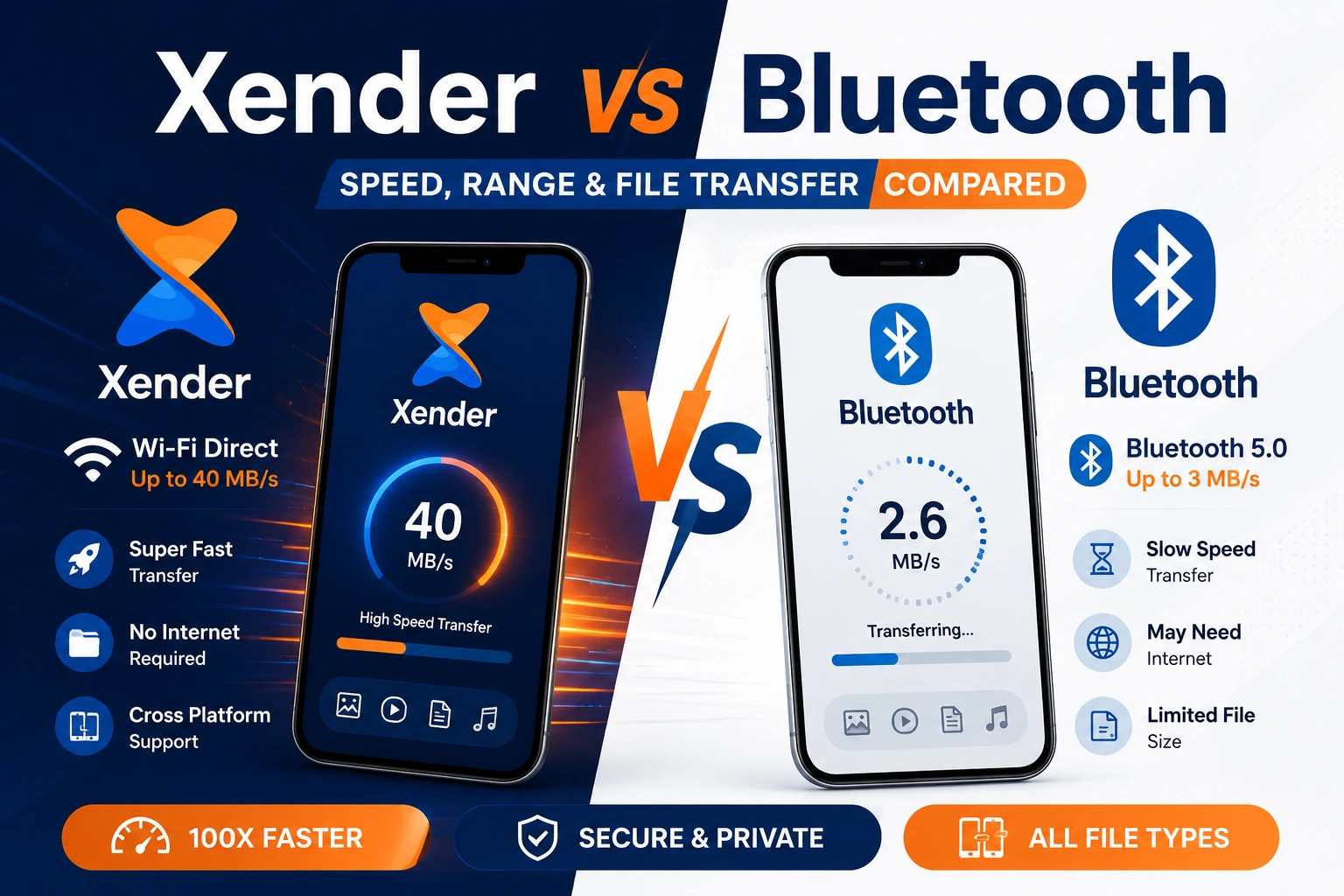
Xender vs Bluetooth — Speed, Range & File Transfer Compared for 2026
Bluetooth is a convenient way to share files between nearby devices, but it was originally designed for accessories like headphones, speakers, and keyboards rather than transferring large files. As photos and videos have grown in size, Bluetooth’s transfer speed has become one of its biggest limitations.
Xender uses Wi-Fi Direct technology to create a direct connection between devices without requiring the internet, mobile data, or a Wi-Fi router. This allows users to transfer large files much faster while keeping their original quality intact.
This comparison explores the differences between Xender and Bluetooth, including transfer speed, file size support, compatibility, range, battery usage, security.By the end, you will know exactly which method to use in each situation.
⚡ 40 MB/s
Up to 200× Faster Than BluetoothLarge videos, photos, documents and apps move in seconds instead of minutes using Wi-Fi Direct technology.
The Technology Behind Each Method
How Bluetooth Transfers Files
Bluetooth is a short-range wireless standard developed by Dr. Jaap Haartsen at Ericsson in 1994 and standardized as IEEE 802.15.1. It operates in the 2.4 GHz ISM band using frequency-hopping spread spectrum — meaning it rapidly switches between 79 different frequencies to avoid interference. This design made Bluetooth excellent for low-power continuous connections to peripherals but limited its raw data throughput.
Bluetooth 5.0 — the version present on most phones released after 2017 — has a theoretical maximum of 50 Mbps. In real-world file transfers, however, actual throughput drops to 2–3 Mbps due to protocol overhead, connection establishment latency, and the fact that Bluetooth’s packet structure was optimized for low-latency audio rather than bulk data.
How Xender Transfers Files
Xender uses Wi-Fi Direct — an IEEE 802.11 standard introduced by the Wi-Fi Alliance in 2010 that allows two Wi-Fi-capable devices to communicate directly without a router. One device acts as a software access point, the other joins it, and data flows between them over the same physical radio that connects to home Wi-Fi.
The key difference is bandwidth. Wi-Fi Direct on 5 GHz (802.11ac) has a real-world throughput ceiling of 300–400 Mbps — roughly 100 times the bandwidth available to Bluetooth 5.0. Xender channels this into a file transfer interface that sustains up to 40 MB/s (320 Mbps) in real-world Android-to-Android transfers.
Is Xender a Chinese App?
Xender was founded in China. The app was developed by Anmobi Inc., a company co-founded by Sahil Blochlo, Lokesh Narwani, and Viral Solanki and launched under the name Flash Switch in 2012 before being renamed Xender on July 19, 2013. The company was later incorporated as Xender (HK) Limited — a Hong Kong-registered entity. Development and initial growth happened in the Chinese tech ecosystem, and the app’s headquarters is in Beijing.
Being China-origin does not carry any functional implications for users — the app operates entirely through local Wi-Fi Direct peer-to-peer connections, meaning no file data is routed through any server in any country.
Speed Comparison — Real Numbers
📶 Bluetooth File Transfer Speed
Bluetooth 5.0 maximum real-world throughput in file transfer mode sits at 2–3 Mbps. Older Bluetooth 4.x devices transfer at 1–2 Mbps.
| File Size | Bluetooth 5.0 Time | Bluetooth 4.x Time |
|---|---|---|
| 10 MB photo | ~30 seconds | ~60 seconds |
| 100 MB video clip | ~5 minutes | ~10 minutes |
| 500 MB HD video | ~25 minutes | ~50 minutes |
| 1 GB file | ~45 minutes | ~90 minutes |
| 4 GB movie | ~3 hours | ~6 hours |
These times assume an uninterrupted connection with no interference — which is rarely the case in real environments where 2.4 GHz congestion from Wi-Fi routers, microwave ovens, and other Bluetooth devices degrades throughput further.
⚡ Xender File Transfer Speed
Xender on 5 GHz Wi-Fi Direct (802.11ac or Wi-Fi 6) sustains speeds of up to 40 MB/s. On 2.4 GHz connections, speeds typically land between 8–15 MB/s — still 3–5 times faster than Bluetooth 5.0.
| File Size | Xender (5 GHz) | Xender (2.4 GHz) |
|---|---|---|
| 10 MB photo | ~0.3 seconds | ~1 second |
| 100 MB video clip | ~3 seconds | ~10 seconds |
| 500 MB HD video | ~13 seconds | ~45 seconds |
| 1 GB file | ~25 seconds | ~90 seconds |
| 4 GB movie | ~2 minutes | ~6 minutes |
🏆 Speed Verdict
Xender is 13–15 times faster than Bluetooth 5.0 under the same real-world conditions. For files under 5MB — a single contact card, a short voice note — Bluetooth’s slower speed is not a practical problem. For anything larger, the time difference becomes significant within the first transfer.
Range Comparison
Bluetooth
Xender
For most file sharing scenarios — two people sitting near each other — range is not a deciding factor. But in classrooms, offices, or outdoor gatherings where devices are spread across a larger area, Xender’s range advantage is practically meaningful.
File Size and Type Limits
Bluetooth Limitations
Bluetooth has a practical file size ceiling of approximately 100MB for reliable transfers on most Android devices. Above this, transfers frequently fail, time out, or restart. The protocol was not designed to maintain stable connections for the duration required to push several gigabytes of data.
File type support on Bluetooth is also inconsistent across platforms. APK files are blocked on some Android versions over Bluetooth. Folder transfers are not natively supported — only individual files. Receiving multiple files requires separate acceptance prompts for each one.
Xender File Support
Xender imposes no file size limit. A 50GB video archive transfers identically to a 50KB document. Every file type transfers without restriction:
Cross-Platform Support
Bluetooth works between most devices regardless of operating system for simple transfers — Android to Android, Android to iPhone (with limitations), and older PC connections. However, Bluetooth file transfer between Android and iPhone is unreliable in practice. Apple restricts generic Bluetooth file transfer on iOS — iPhones cannot receive arbitrary files over standard Bluetooth from Android devices.
Bluetooth
Bluetooth offers basic wireless communication across many devices, but cross-platform file sharing is heavily restricted—especially when iPhones are involved.
Xender
- Android to Android
- Android to iPhone
- iPhone to Android
- Android to Windows PC (via Xender Web Connect)
- iPhone to Windows PC (via Xender Web Connect)
- Android to Mac
- iPhone to Mac
What Are the Disadvantages of Using Xender?
Both devices need the app installed
Unlike Bluetooth — which is built into every device — Xender requires installation on both the sending and receiving device. If the person you are sending to does not have Xender, they need to download it first. Bluetooth requires no third-party app.
Advertisements in the free version
Xender’s free tier includes in-app advertisements. They do not interrupt transfers but appear between sessions. There is no paid ad-free version.
Higher battery consumption during large transfers
Wi-Fi Direct uses more power than Bluetooth. A 10GB transfer over Xender will drain more battery than the same transfer over Bluetooth. For long sessions on a low battery device, this matters.
No end-to-end encryption on transfers
Xender’s Wi-Fi Direct connections are local and private — files never touch external servers — but the transfer itself is not encrypted end-to-end. For sensitive documents between trusted devices in a private environment, this is not a practical concern. For highly confidential transfers on shared networks, a dedicated encrypted transfer tool is more appropriate.
iOS Phone Replication not available
Xender’s complete device cloning feature works between Android devices only. Apple’s restrictions prevent third-party apps from accessing the system-level data required for full device migration on iPhone.